
What Makes a SaaS Application Scalable?
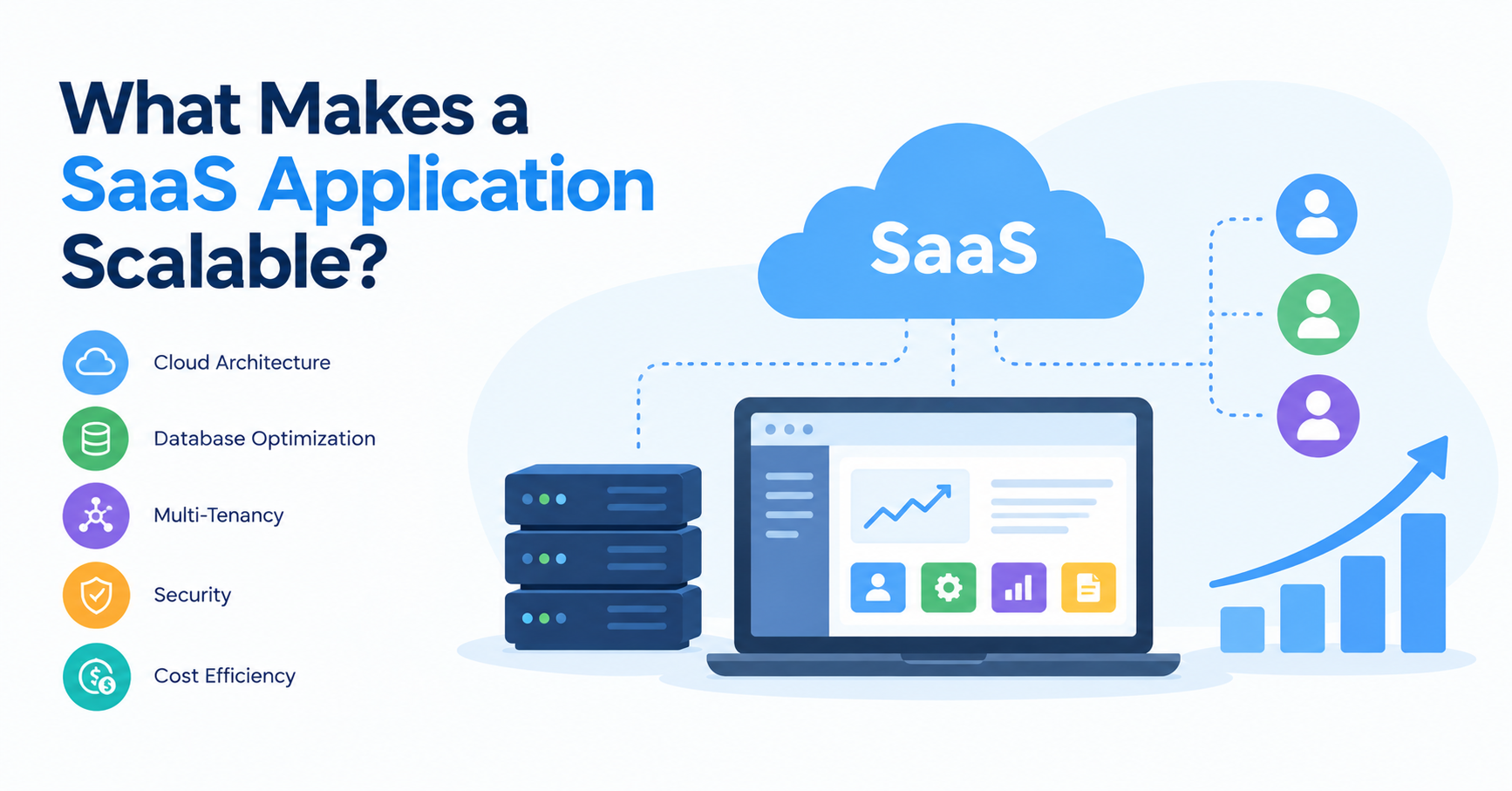
Building a Software-as-a-Service (SaaS) application is about more than launching a useful product. A successful application must continue delivering a reliable experience as the number of users increases, customer requirements evolve, and workloads become more demanding.
An application that works perfectly for its first 100 users may encounter performance issues when thousands of customers access it simultaneously. Database queries may slow down, infrastructure costs may rise, and background jobs may begin competing with user-facing operations. If the application was not designed with growth in mind, solving these problems later can become expensive and disruptive.
This is why scalability should be considered from the earliest stages of SaaS application development.
A scalable SaaS application can accommodate growing workloads while maintaining acceptable performance, reliability, security, and operating costs. Achieving this requires more than adding servers. It involves thoughtful architecture, efficient database design, effective resource management, and continuous performance monitoring.
For businesses planning to launch or expand a subscription-based software product, understanding these foundations can help prevent technical limitations from becoming barriers to growth.
What Is Scalability in SaaS Applications?
Scalability is a system's ability to handle increased demand by allocating additional resources or improving how existing resources are used.
For a SaaS application, demand can increase in several ways:
- More customers create accounts and use the platform.
- Existing customers store larger amounts of data.
- Users perform more transactions or run more complex reports.
- Businesses introduce additional features and integrations.
- Usage increases sharply during particular hours, events, or seasons.
Consider a SaaS platform that helps companies manage projects. Initially, it might serve a few small teams with basic task management features. As it expands, enterprise customers may require hundreds of users per account, detailed reporting, role-based permissions, and integrations with other business systems.
A scalable architecture helps the platform support this growth without requiring a complete redesign whenever demand increases.
However, scalability is not the same as unlimited capacity. Every application has practical limits. The goal is to identify those limits, understand the cost of expanding capacity, and build a system that can grow in a controlled and predictable way.
A Well-Designed Application Architecture
Architecture determines how the major components of a SaaS application interact. These components may include the user interface, application logic, database, authentication services, integrations, and background processing systems.
A poorly structured application can become difficult to maintain as new features and users are added. Changes in one component may unexpectedly affect others, making development slower and troubleshooting more complicated.
A well-designed architecture establishes clear responsibilities and boundaries between components.
For example, an application might separate its frontend, backend API, database, and background workers. This allows the team to improve or scale particular components without necessarily increasing resources for the entire system.
Depending on the product's requirements, suitable approaches may include:
- Modular monoliths: A single deployable application with clearly separated internal modules.
- Microservices: Independently deployable services designed around specific responsibilities.
- Event-driven architecture: Components communicate through events to support asynchronous workflows.
- Serverless components: Selected tasks run on managed infrastructure that adjusts capacity according to demand.
Microservices are not automatically the best choice for every SaaS product. They introduce additional operational complexity, networking requirements, monitoring needs, and deployment considerations. A modular monolith can be an excellent starting point for many applications.
The best architecture is the one that meets current requirements while providing a practical path for future growth.
Efficient Database Design and Query Performance
The database is frequently one of the first areas where scaling challenges become visible. As users, records, and transactions increase, inefficient queries can consume more resources and increase response times.
A scalable SaaS application needs a database strategy that supports its data structure, access patterns, consistency requirements, and expected workload.
Important considerations include:
- Database indexing: Index frequently queried fields to reduce unnecessary scanning.
- Query optimization: Avoid inefficient joins, repeated queries, and retrieving more data than necessary.
- Connection pooling: Reuse database connections rather than opening excessive new connections.
- Pagination: Retrieve large datasets in manageable sections.
- Caching: Store suitable frequently requested results to reduce repeated database work.
- Read replicas or partitioning: Consider these techniques when workload patterns and database capabilities justify them.
Imagine a SaaS analytics platform that generates reports from millions of transaction records. If every dashboard request scans the entire dataset, response times may increase as the business grows.
Optimized queries, precomputed summaries, suitable indexes, and background report generation can reduce the work required for each user request.
Database changes should be driven by measurement. Adding indexes, replicas, or partitions without understanding the actual workload can increase cost and complexity without solving the underlying problem.
Horizontal and Vertical Scaling
A scalable SaaS application needs a practical strategy for increasing computing capacity when demand rises.
There are two common approaches.
Vertical scaling (scale up)
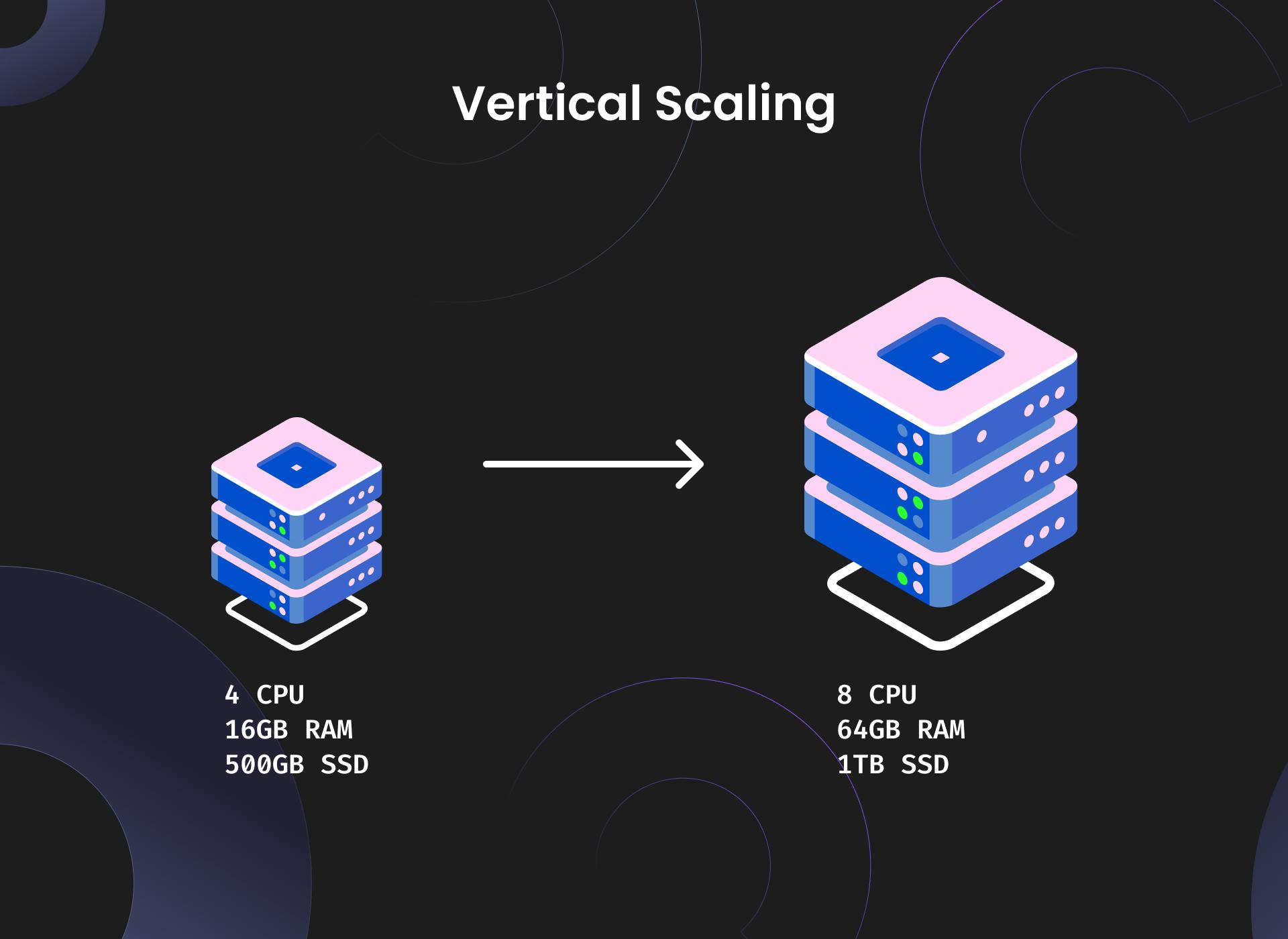
Increase the resources available to an existing server, such as CPU, memory, or processing capacity.
Best suited when upgrading the current environment is sufficient and operational simplicity is important.
Horizontal scaling (scale out)
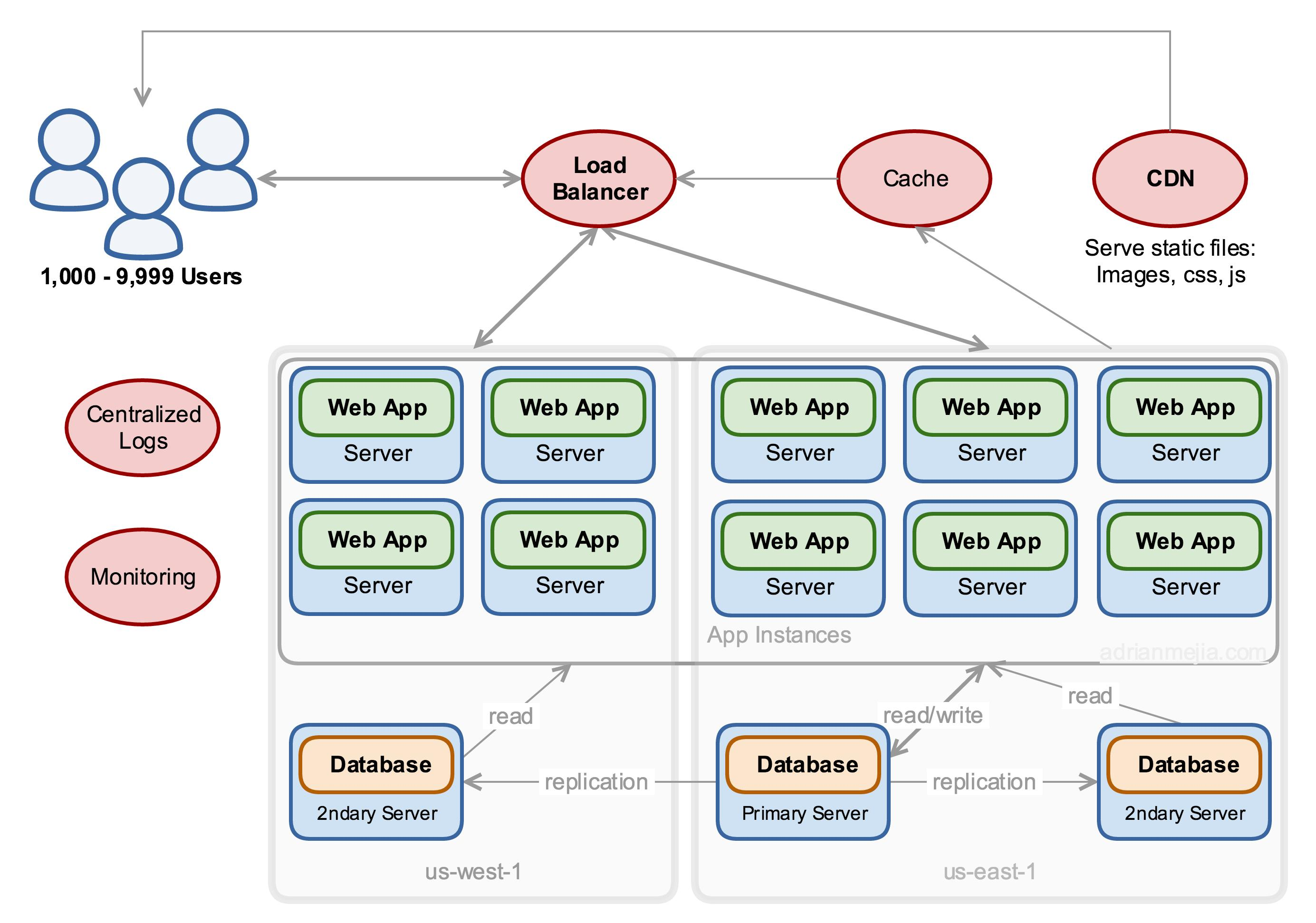
Add more application instances or workers and distribute incoming requests across them.
Useful when workloads need to expand across multiple instances and individual components can operate concurrently.
Horizontal scaling often plays an important role in cloud-based SaaS platforms, but it requires appropriate application design. For example, session state may need to be stored outside individual application instances so requests can be handled by different servers.
Cloud platforms can also use autoscaling policies to add or remove capacity based on demand and performance metrics. Google Cloud's architecture guidance emphasizes designing applications to adjust capacity as workloads rise and fall.
Multi-Tenant Architecture and Customer Isolation
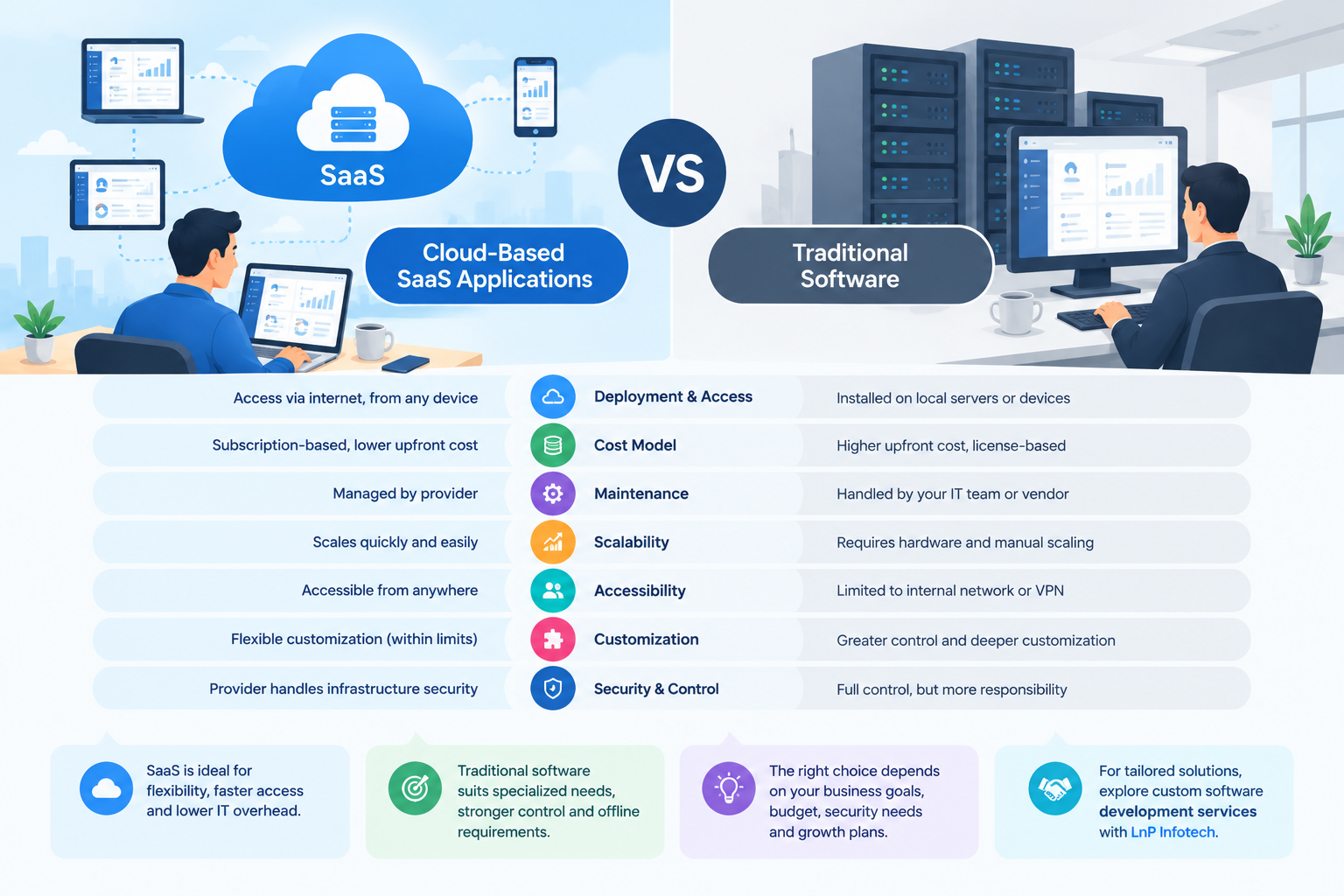
Many SaaS applications serve multiple businesses through a shared product. Each customer, often called a tenant, has its own users, records, configuration, and permissions.
A well-designed multi-tenant SaaS application can share infrastructure efficiently while keeping each customer's information appropriately isolated.
For example, a project management SaaS platform might allow Company A and Company B to use the same application, but each company should see only its own projects, employees, documents, and reports.
A scalable multi-tenant design should consider:
- Tenant identification and authentication.
- Data isolation and authorization.
- Tenant-specific settings and feature access.
- Resource usage and performance limits.
- Customer onboarding and account management.
- Monitoring and troubleshooting by tenant.
There are several approaches to tenant isolation, ranging from shared database tables with enforced tenant boundaries to separate databases or dedicated infrastructure for individual customers. Each approach involves different trade-offs in cost, security, operational complexity, and customization.
One additional challenge is the noisy neighbor problem. A tenant running unusually heavy reports or bulk operations may consume enough shared resources to affect other customers. Resource quotas, workload isolation, rate limits, and tenant-aware monitoring can help mitigate this risk.
Cloud Infrastructure and Automated Scaling
Cloud infrastructure provides flexibility to adjust computing resources as application demand changes. However, simply hosting an application in the cloud does not automatically make it scalable.
The application and its infrastructure must be configured to respond appropriately to workload changes.
Important capabilities include:
- Load balancing: Distributing incoming requests across healthy application instances.
- Autoscaling: Adjusting the number of instances or workers as demand changes.
- Containerization: Packaging applications consistently for deployment across environments.
- Managed services: Using managed databases, queues, and other infrastructure where appropriate.
- Infrastructure as code: Defining infrastructure through repeatable configuration rather than manual setup.
For example, an online invoicing platform might experience a surge in usage at the end of each month. Automated scaling can help accommodate increased traffic, while background workers process invoice generation and report exports without unnecessarily delaying normal user interactions.
Capacity planning should still account for database limits, third-party API quotas, startup delays, and the time required for new instances to become ready.
Background Processing and Asynchronous Workflows
Not every operation needs to finish before the application responds to a user.
Tasks such as sending bulk notifications, generating large reports, importing data, processing uploaded documents, and synchronizing external systems can consume significant resources.
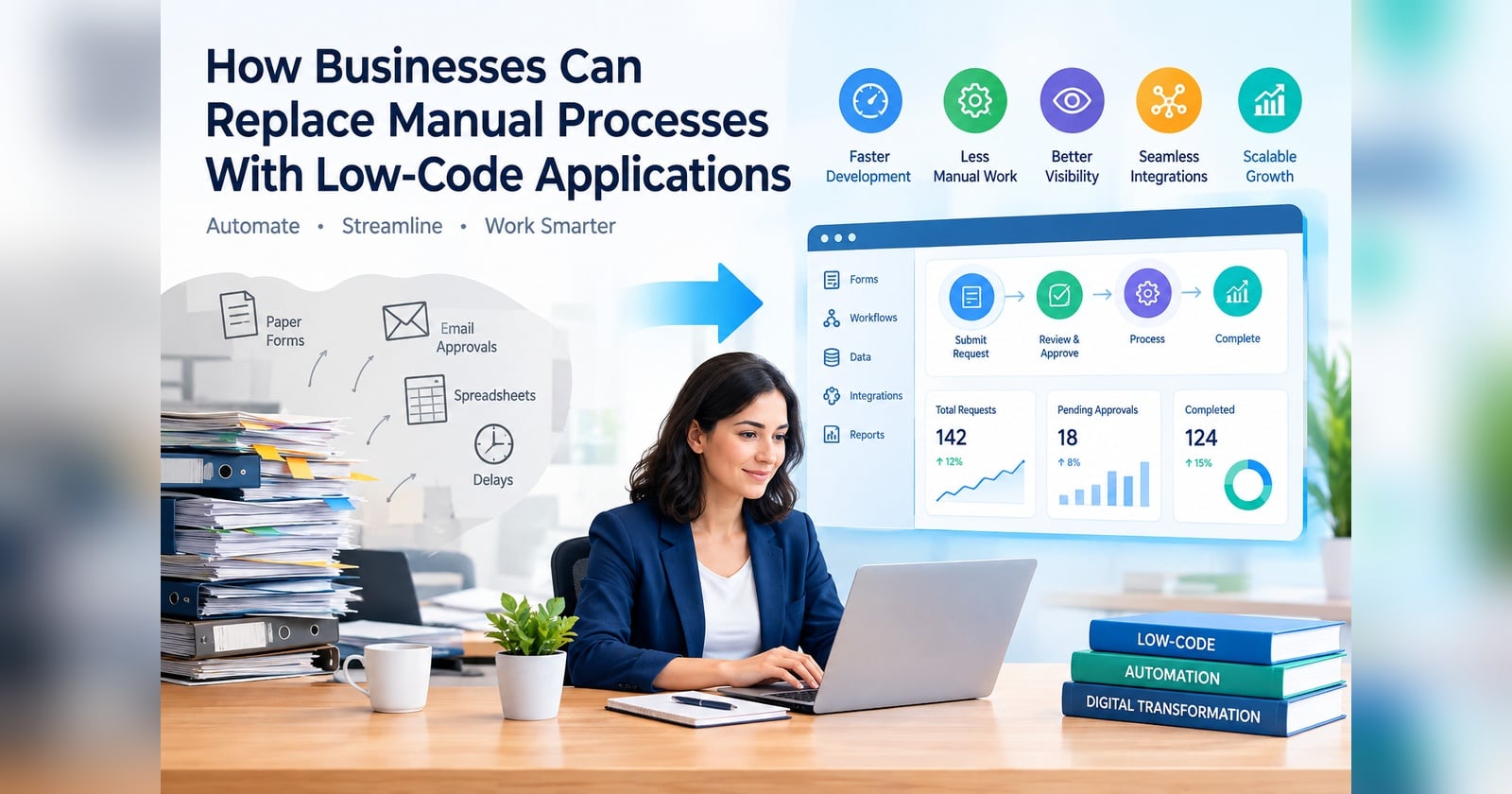
Moving suitable tasks into background workers helps keep user-facing requests responsive.
For instance, when a customer imports 50,000 records into a SaaS application, the system could accept the upload, create a processing job, and show its progress while background workers validate and import the records.
A reliable background-processing system should include:
- Queues to manage pending tasks.
- Retry policies for temporary failures.
- Idempotency to prevent duplicate effects.
- Dead-letter handling for repeatedly failing jobs.
- Monitoring for queue length and processing delays.
These mechanisms help applications absorb traffic spikes without requiring every operation to be processed immediately.
Security and Reliability as the Application Grows
Scalability is not just about supporting more users. A SaaS application must continue protecting customer data and providing dependable service as its infrastructure expands.
A system that handles 10,000 users but allows cross-tenant data access or frequently loses transactions is not successfully scalable.
Important safeguards include role-based access control, secure authentication, encryption, backups, recovery testing, and appropriate audit logging. High-availability designs may also use redundant components and carefully planned recovery mechanisms.
Monitoring should track application errors, response times, database performance, resource consumption, and service availability. For multi-tenant systems, tenant-level metrics can help identify whether one customer or workload is causing a disproportionate share of resource usage.
Microsoft's Azure Well-Architected guidance treats scalability alongside reliability, security, performance, and operational excellence, reinforcing the need to evaluate these areas together.
Performance Monitoring and Load Testing
A SaaS application may perform well under normal conditions but struggle when hundreds or thousands of users access it simultaneously. Performance testing helps teams identify these weaknesses before they affect customers.
Load testing simulates expected traffic, while stress testing explores how the system behaves beyond its anticipated capacity. Spike testing evaluates sudden increases in demand, and endurance testing checks for problems that emerge during prolonged workloads.
Teams should monitor metrics such as:
- Average and 95th or 99th percentile response times.
- Requests processed per second.
- Error rates and timeout frequency.
- CPU, memory, and database utilization.
- Queue length and background job completion times.
- Infrastructure cost per customer or transaction.
Consider a SaaS reporting platform that responds within one second during normal usage but takes 12 seconds when many customers generate reports simultaneously. Testing can help determine whether the bottleneck is caused by database queries, insufficient workers, resource contention, or inefficient report generation.
These findings allow developers to address the actual constraint instead of simply increasing infrastructure capacity.
Performance testing helps identify bottlenecks before they affect users, but building a reliable SaaS product requires a broader quality assurance approach. From regression testing and security validation to automated testing and tenant isolation, a well-defined testing process helps maintain application stability as the product grows. Learn more about why SaaS products need a strong testing strategy and how it supports long-term software quality.
Cost Optimization and Resource Efficiency
A scalable application should be financially sustainable as well as technically capable of handling growth.
Adding servers, increasing database capacity, and introducing managed services can improve performance, but they also increase operating costs. If infrastructure consumption grows faster than customer revenue, the SaaS business may struggle to maintain healthy margins.
Effective cost management includes:
- Scaling resources according to actual demand.
- Removing unused infrastructure.
- Optimizing expensive database queries.
- Setting budgets and usage alerts.
- Monitoring resource consumption by tenant.
- Selecting suitable service tiers and storage options.
- Reviewing the cost of third-party APIs and background processing.
For example, a SaaS analytics product might initially generate every report in real time. As usage increases, caching frequently requested results or generating selected reports asynchronously could reduce repeated processing.
The objective is not to minimize infrastructure spending at any cost. It is to deliver the required performance and reliability without paying for unnecessary capacity.
A Practical Example: Scaling a SaaS Application From 100 to 10,000 Users
Imagine a small business launches a subscription-based customer management platform. Its first 100 users share a single application instance and a relational database. This setup is simple to operate and inexpensive.
As the product grows, the team begins to encounter new challenges.
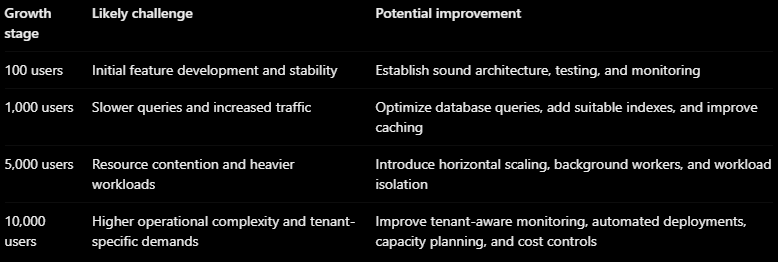
These stages are illustrative, not universal capacity thresholds. Actual performance depends on workload intensity, data volume, application design, and infrastructure configuration. A poorly optimized application can struggle with far fewer users, while an efficient system may support substantially more.
The important lesson is that scaling should follow measured bottlenecks and realistic growth projections, rather than arbitrary user-count milestones.
Best Practices for Building a Scalable SaaS Application
Before launching or expanding a SaaS product, businesses should consider the following principles:
- Design for growth without overengineering. Start with an architecture appropriate for current needs, but avoid decisions that make future changes unnecessarily difficult.
- Keep components modular. Separate responsibilities so individual parts can be improved or scaled when required.
- Plan multi-tenancy early. Establish tenant identity, data isolation, and access controls before customer volume increases.
- Automate deployment and infrastructure management. Repeatable processes reduce manual errors and simplify scaling.
- Test realistic workloads. Simulate normal traffic, peak usage, and failure scenarios before making capacity decisions.
- Monitor performance and costs together. More infrastructure is not always the most effective solution to a performance problem.
- Build security into the architecture. Maintain access controls, data protection, backups, and recovery procedures as the application evolves.
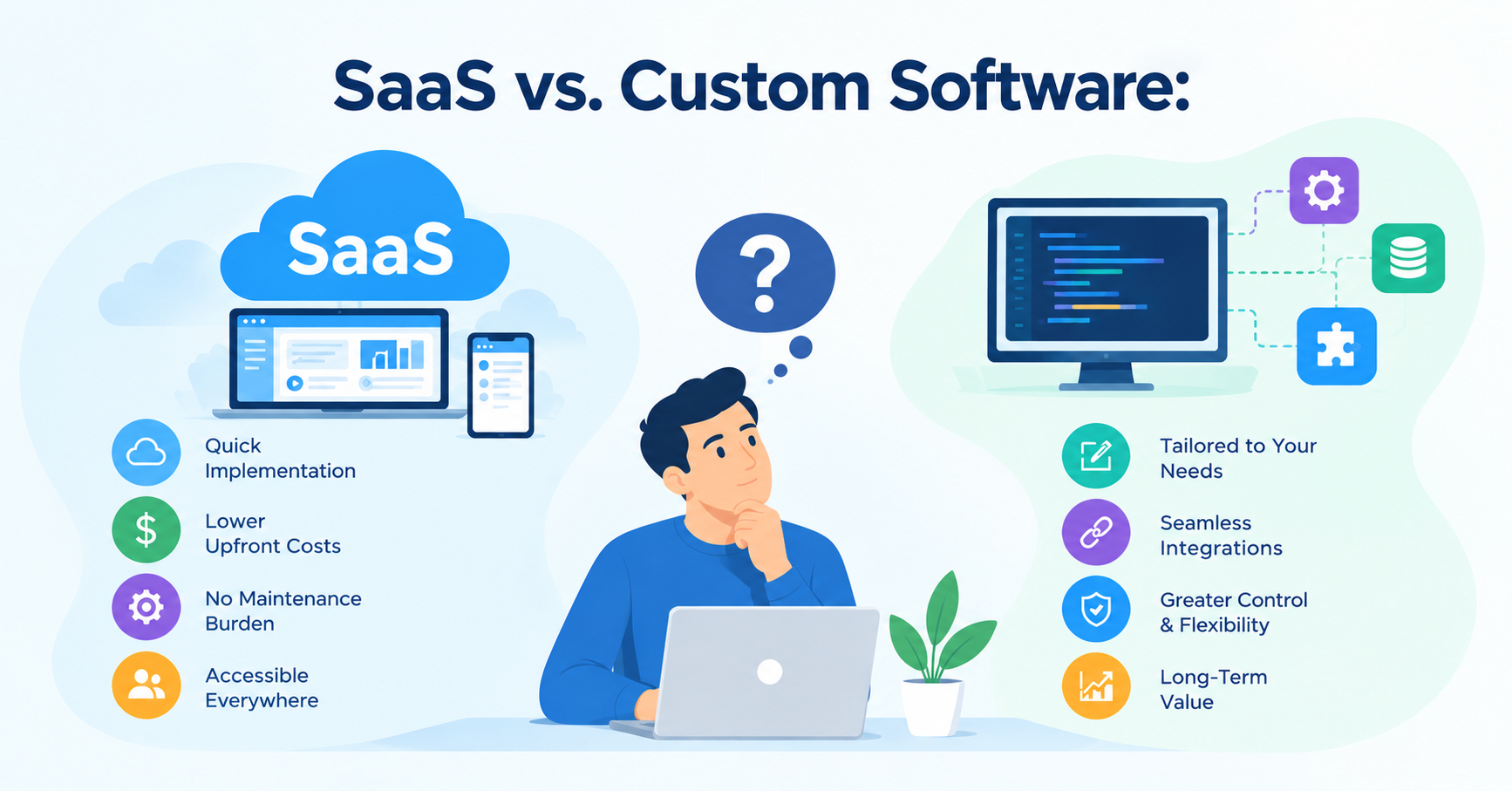
For organizations building a new platform or reworking an existing product, custom software development services can help translate these principles into an architecture aligned with business requirements.
Conclusion
A scalable SaaS application is built on more than powerful servers or a cloud hosting plan. Its long-term success depends on the combined strength of application architecture, database performance, multi-tenant design, automated infrastructure, security, monitoring, and cost management.
The most effective approach is to establish a solid technical foundation, measure how the application behaves under real workloads, and improve individual components as demand grows.
Businesses should also recognize that scalability means different things for different products. A lightweight scheduling application has different requirements from a financial platform processing thousands of transactions or an analytics system handling large datasets.
By making informed architectural decisions and testing them against realistic business needs, organizations can build SaaS products that grow more predictably, deliver a consistent customer experience, and remain manageable over time.
For businesses planning their next stage of growth, LnP Infotech's multi-tenant and SaaS application development services provide a relevant starting point for exploring the design and development of applications built to support evolving customer and operational requirements.
About the author
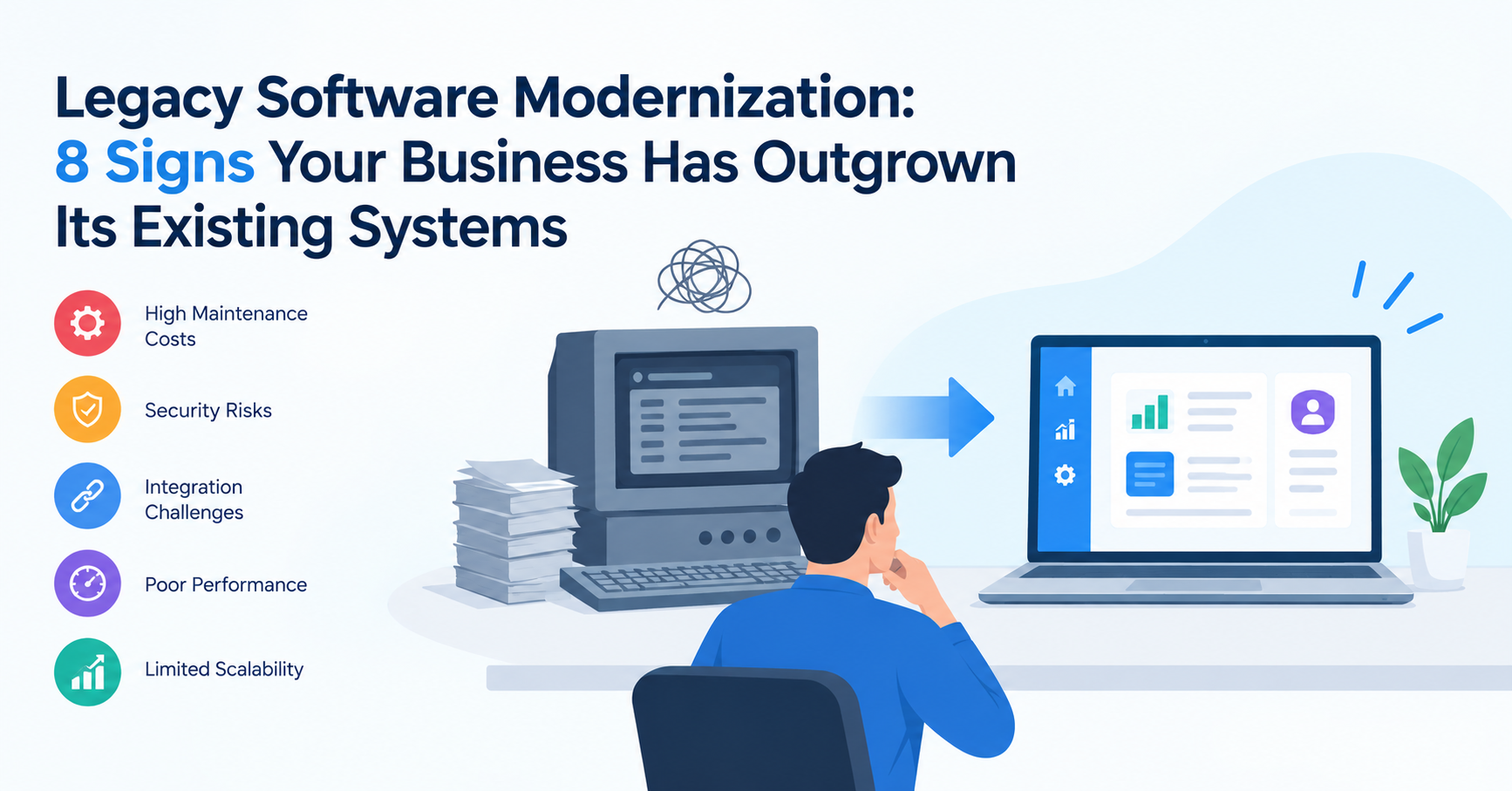
- LnP Infotech Pvt. Ltd. is an AI technology consulting and digital solutions company based in Mohali, India, serving businesses worldwide. Founded in 2018, we specialize in custom software development, AI solutions, automation, web and mobile app development, SaaS solutions, and technology consulting. Our expertise includes finance and healthcare software, real estate technology, reporting and analytics, digital transformation, and business process automation. We help businesses modernize legacy systems, streamline operations, improve efficiency, and build scalable digital products tailored to their requirements. With an experienced technology team and a practical, future-ready approach, LnP Infotech delivers reliable software and technology solutions that support sustainable business growth.
Comments
Join the discussionNo comments yet. Be the first to comment.