
How Microsoft Power Apps Helps Businesses Automate Workflows and Reduce Development Costs
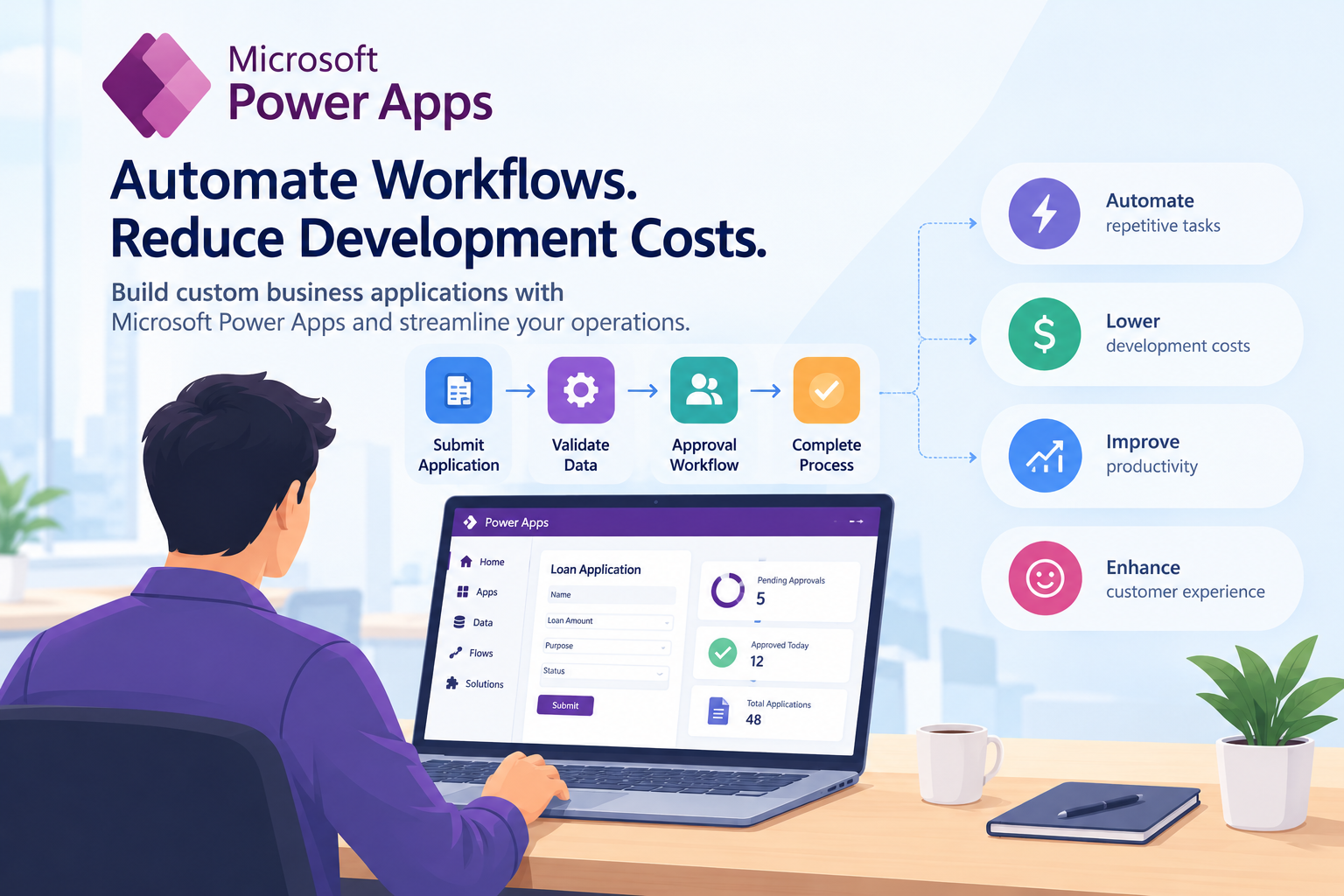
Businesses today are under constant pressure to improve productivity, reduce operational expenses, and deliver better customer experiences. However, many organizations still depend on spreadsheets, paper forms, email approvals, and repetitive manual tasks to manage everyday operations. These methods may work initially, but as a business grows, they can lead to delays, duplicated work, data inconsistencies, and higher administrative costs.
Traditional software development can solve these problems by providing applications tailored to business requirements. However, building every application from scratch can require significant development time, technical resources, and ongoing maintenance.
This is where Microsoft Power Apps can help.
Microsoft Power Apps is a low-code development platform that enables businesses to build custom applications using visual development tools, reusable components, data connections, and business logic. It allows organizations to digitize manual processes and create applications without developing every component from the ground up. It can also be extended with custom code when more advanced functionality is required.
When combined with workflow automation tools, Power Apps can help businesses streamline operations, reduce repetitive tasks, and make better use of their existing technology investments.
In this article, we explore how Microsoft Power Apps works, which business processes it can automate, how it can reduce development costs, and what organizations should consider before implementing it.
What Is Microsoft Power Apps?
Microsoft Power Apps is part of Microsoft's Power Platform. It provides tools for creating custom business applications that connect to data sources such as Microsoft Dataverse, SharePoint, Microsoft 365, and SQL Server, along with other supported services and systems.
Instead of writing extensive code for every screen, form, and interaction, developers can use visual designers, configurable controls, and reusable components to build applications more efficiently.
Power Apps supports two common types of applications:
1. Canvas apps
Canvas apps allow developers to design the user interface with considerable flexibility. They are useful when a business needs a tailored interface for a particular process, such as expense submissions, inventory tracking, inspections, or field service reporting.
2. Model-driven apps
Model-driven apps use a data-first approach, with the application interface and functionality built around a structured data model. They are suitable for processes that involve related records, business rules, dashboards, and standardized workflows.
The right option depends on the application's complexity, user experience requirements, data structure, and intended purpose.
Power Apps can also work with Power Automate, which supports automated workflows across compatible applications and services. Together, these technologies can help businesses move beyond basic digital forms and build connected business processes.
Why Businesses Need Workflow Automation
Workflow automation involves using software to execute repetitive, rule-based activities with less manual intervention.
Consider a company that processes employee expense claims through email. Employees send receipts to their managers, managers approve or reject requests, and the finance team manually updates spreadsheets before processing reimbursements.
As the number of employees increases, the process can become difficult to manage. Requests may get lost, approvals may be delayed, and finance teams may struggle to track pending claims.
An automated workflow can replace these disconnected activities with a centralized process.
Employees submit expenses through an application, managers receive approval requests, and approved claims are routed to the finance team. The system can maintain records, send notifications, and provide visibility into each request's status.
Microsoft Power Apps can provide the application interface, while Power Automate can coordinate supported approval and notification workflows.
Businesses can apply the same approach to purchase requests, customer onboarding, inventory management, leave applications, service requests, and other repetitive operations.
7 Ways Microsoft Power Apps Helps Businesses Automate Workflows
1. Automating Data Entry and Form-Based Processes
Many departments spend considerable time collecting information through spreadsheets, paper documents, and email attachments.
Power Apps allows organizations to create digital forms that collect information in a structured format.
For example, a manufacturing business may need employees to report equipment problems during each shift. Instead of filling out paper forms, workers can submit reports through a mobile-friendly application.
The application can collect details such as:
- Equipment identification
- Location and department
- Description of the problem
- Date and time of the report
- Supporting photographs
- Priority level
- Assigned maintenance team
Once submitted, the information can be stored in a connected data source and made available to authorized employees.
Developers can also configure validation rules to identify missing fields, restrict invalid entries, and improve data consistency.
Business benefit: Employees spend less time entering information into multiple systems, while managers gain access to more organized records.
2. Streamlining Approval Workflows
Approval processes often involve several people, departments, and levels of authorization.
Purchase requests, employee expenses, leave applications, vendor onboarding, and budget approvals are common examples.
Without a centralized system, employees may need to follow up repeatedly to determine whether a request has been approved.
Power Apps can provide an interface for submitting and tracking requests, while Power Automate can route approval tasks according to predefined business rules.
For example, a purchase request workflow might operate as follows:
- An employee submits a purchase request.
- The system validates the required information.
- The request is sent to the relevant manager.
- Requests above a defined threshold are routed to an additional approver.
- The employee receives an approval or rejection notification.
- Approved requests are forwarded to the procurement team.
The business can configure different workflows for different departments, request categories, or spending limits.
Business benefit: Automated routing reduces unnecessary follow-ups and helps organizations maintain a clearer record of approval decisions.
3. Connecting Disconnected Business Applications
Businesses frequently use multiple applications to manage customers, orders, inventory, finances, and employee information.
When these systems operate independently, employees may need to transfer information manually between them. This creates extra work and increases the risk of inconsistent records.
Power Apps supports connections to compatible Microsoft services and other data sources through available connectors. Custom integrations may also be possible when a suitable API or connector is available.
For example, a sales team might use a Power Apps application to review customer information and submit order requests. The application could connect to an existing data source and trigger a workflow when an order requires approval.
Depending on the systems involved, integrations may help reduce duplicate data entry and improve information sharing between departments.
Before implementation, businesses should confirm connector availability, permissions, API limitations, and licensing requirements.
Business benefit: Better-connected systems can reduce repetitive administrative work and give employees a more consistent view of business information.
4. Improving Inventory and Asset Management
Inventory management is another area where manual processes can create unnecessary operational costs.
Businesses that rely on spreadsheets or handwritten stock records may find it difficult to maintain accurate inventory information, track asset assignments, or identify items that need replenishment.
A custom Power Apps solution can provide an application for recording stock movements, monitoring inventory levels, and tracking company assets.
For example, a warehouse employee could use a mobile device to record incoming stock, update quantities, or report damaged products.
The application could also support:
- Product and asset searches
- Stock movement records
- Low-stock notifications
- Equipment assignment tracking
- Maintenance requests
- Inventory status dashboards
Additional functionality, such as barcode scanning, may be available depending on the app design, device capabilities, and implementation requirements.
Business benefit: More reliable inventory records can help reduce avoidable stock discrepancies, improve visibility, and support better purchasing decisions.
5. Automating Employee Onboarding and HR Processes
Human resources teams manage numerous administrative activities, including onboarding, leave requests, employee document collection, equipment allocation, and policy acknowledgments.
When these processes depend on emails and separate spreadsheets, it can be difficult to determine whether every task has been completed.
A Power Apps-based HR application can centralize employee requests and onboarding activities.
For instance, when a new employee joins, the workflow could create tasks for HR, IT, facilities, and the employee's manager.
The system might coordinate activities such as:
- Collecting required employee information
- Requesting account and equipment setup
- Assigning onboarding tasks
- Tracking policy acknowledgments
- Managing leave requests
- Sending reminders for pending activities
Access permissions should be designed carefully because HR applications may contain confidential employee information.
Business benefit: Centralized workflows can reduce administrative coordination and help ensure that important onboarding activities are not overlooked.
6. Digitizing Field Service and Inspection Workflows
Organizations with field technicians, inspectors, delivery teams, and maintenance employees often need information collected outside the office.
Paper forms and delayed reporting can make it difficult for managers to respond quickly to problems.
A mobile-friendly Power Apps solution can help field employees record inspections, update service requests, attach photographs, and submit reports from supported devices.
For example, a facilities management company could use an application to record inspection results across multiple buildings. When an issue is reported, the system could notify the relevant maintenance team and track the request through completion.
Offline functionality may be possible for suitable app designs, but it requires deliberate configuration and testing. Businesses should not assume that every data source or feature will work offline automatically.
Business benefit: Field teams can capture information more consistently, while office staff gain better visibility into ongoing work.
7. Creating Centralized Business Dashboards
Managers often need to combine information from several spreadsheets or applications before they can understand what is happening across their departments.
A Power Apps solution can bring relevant operational information into a centralized interface. Depending on the design, it may also incorporate reporting and visualization capabilities from tools such as Power BI.
A dashboard could display:
- Pending approvals
- Open service requests
- Inventory levels
- Employee task status
- Customer request volumes
- Department-level performance indicators
For example, an operations manager could review unresolved requests and identify which department needs additional support.
Dashboards do not automatically improve performance, but they make important information easier to access and can support more informed decisions.
Business benefit: Improved visibility can help managers identify bottlenecks and allocate resources more effectively.
How Microsoft Power Apps Can Reduce Software Development Costs
Cost reduction is one of the main reasons businesses consider low-code application development.
However, savings do not come simply from choosing a low-code platform. They depend on the application's scope, licensing, integration requirements, development quality, and long-term maintenance needs.
Here are the main ways Power Apps can help control software development expenses.
1. Faster Application Development
Traditional development often requires developers to create user interfaces, configure data access, implement business logic, and build supporting components separately.
Power Apps provides visual development tools and reusable components that can reduce the amount of custom code required for suitable applications.
This can help development teams create prototypes and functional business applications more quickly than building every component from scratch.
For example, an internal leave management application may not require the same level of custom development as a large enterprise HR platform.
Using Power Apps for the simpler workflow may reduce the initial development effort.
The actual time savings depend on the complexity of the process and the team's experience with the platform.
2. Less Custom Code for Standard Requirements
Many internal business applications share common requirements, including forms, record management, validation, notifications, and approval workflows.
Low-code tools provide reusable controls and platform capabilities for these tasks.
Developers can concentrate on business-specific requirements instead of writing every basic component manually.
More advanced applications may still require custom connectors, APIs, plug-ins, or other code-based extensions.
The goal should be to use low-code capabilities where they provide value rather than forcing every requirement into the platform.
3. Reusing Existing Microsoft Infrastructure
Businesses already using Microsoft 365 or other Microsoft business applications may be able to connect Power Apps to existing data and services.
This can reduce the need to introduce a completely separate technology stack for certain business processes.
For example, a business that stores operational records in SharePoint may be able to build a suitable application around that information rather than creating an entirely new data platform.
However, the feasibility depends on the existing environment, data structure, security requirements, and licensing entitlements.
4. Reducing Manual Operational Expenses
Software development costs are only one part of the overall business case. Manual processes also consume employee time and create avoidable administrative overhead.
An automated workflow may reduce time spent on repetitive data entry, status checks, email follow-ups, and record reconciliation.
Consider a hypothetical team that spends 10 hours each week coordinating purchase approvals. If a redesigned workflow reduces that effort to 4 hours, the business saves 6 hours per week.
Over 50 working weeks, that represents 300 hours of employee time potentially available for other activities.
This is an illustrative calculation, not a guaranteed outcome. Actual savings should be measured after implementation, and businesses should account for the time required to maintain the workflow.
5. Simplifying Maintenance for Suitable Applications
Applications built with standard platform components may be easier to update than heavily customized applications with complex codebases.
For example, an authorized developer may be able to adjust a form, change a routing rule, or update a notification without rebuilding the entire application.
Nevertheless, maintenance still requires appropriate testing, documentation, access controls, and change management.
Poorly designed workflows can become difficult to maintain regardless of the development platform.
6. Supporting Incremental Development
Businesses do not always need to build a large application with every planned feature at launch.
Power Apps can support an incremental approach in which an organization starts with a focused application and adds functionality as requirements become clearer.
A company might begin with a purchase request form and basic approval workflow, then introduce reporting, additional approval levels, and integrations in later phases.
This approach can help organizations validate requirements before committing to a larger implementation.
Important: Power Apps does not eliminate all development costs. Licensing, premium connectors, data storage, external integrations, testing, governance, and ongoing support must be considered when calculating the total cost of ownership.
Practical Example: Automating Purchase Approvals With Power Apps
Consider a medium-sized company that processes purchase requests through email and spreadsheets.
Employees send requests to their managers, procurement teams verify the details, and finance employees check whether the spending has been approved. The process is slow because information is spread across multiple tools.
The company decides to create a custom Power Apps solution.
Before Automation
The existing process involves:
- Employees submitting requests by email
- Managers manually reviewing requests
- Procurement teams updating spreadsheets
- Finance teams checking approval status
- Employees following up to confirm progress
This creates repeated administrative work and makes it difficult to identify delayed requests.
After Automation
The company implements a Power Apps application connected to an appropriate data source, with Power Automate coordinating the approval workflow.
The new process works as follows:
- Employees submit requests through a digital form.
- The application checks whether required fields are complete.
- Requests are routed to the appropriate manager.
- Higher-value purchases follow an additional approval path.
- Approved requests are made available to procurement.
- Employees can review the status of their submissions.
- Managers can monitor outstanding requests through a dashboard.
The business can then compare processing times, follow-up volumes, and administrative effort before and after implementation.
This example illustrates how a relatively focused application can improve a specific workflow without requiring a complete replacement of the company's existing systems.
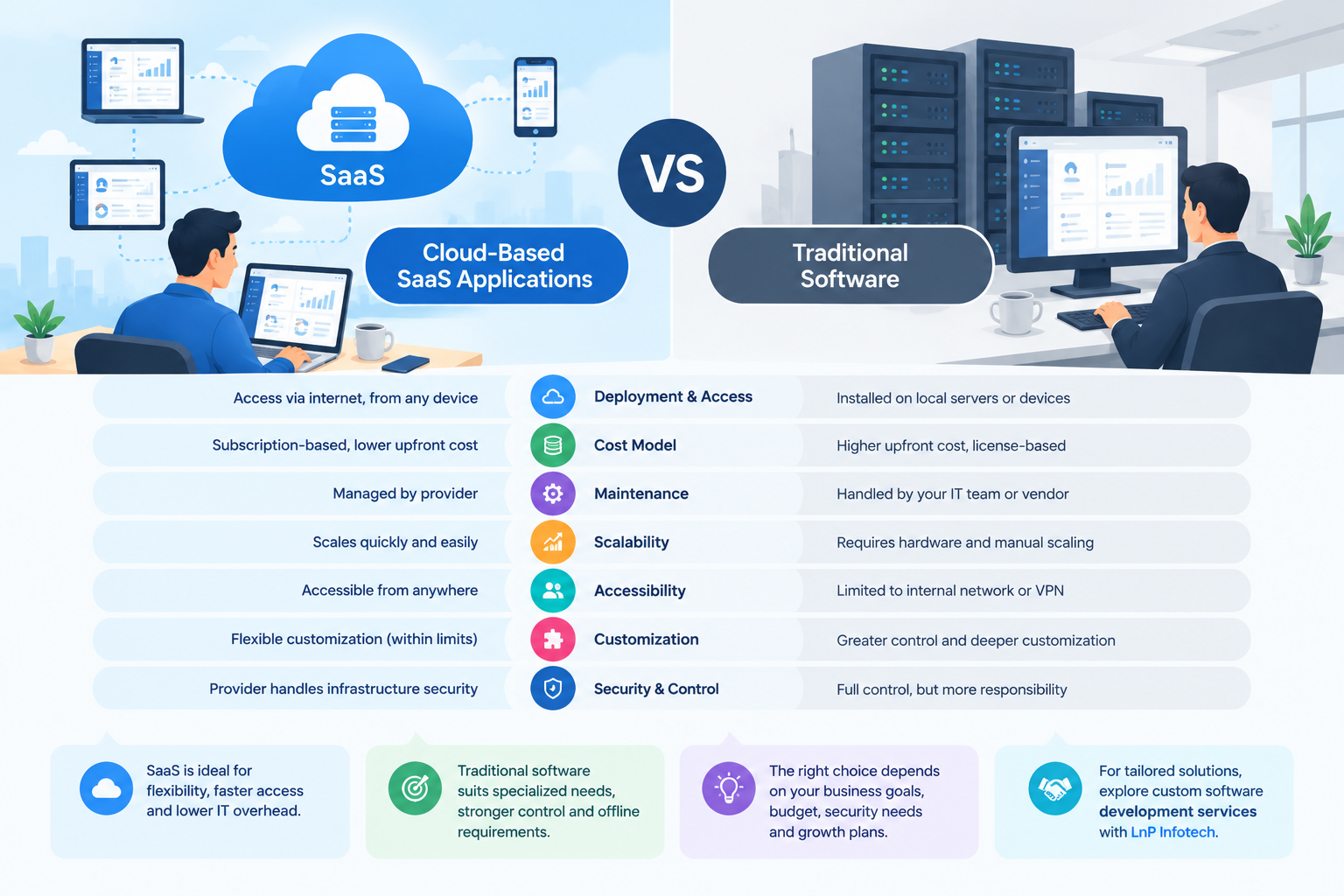
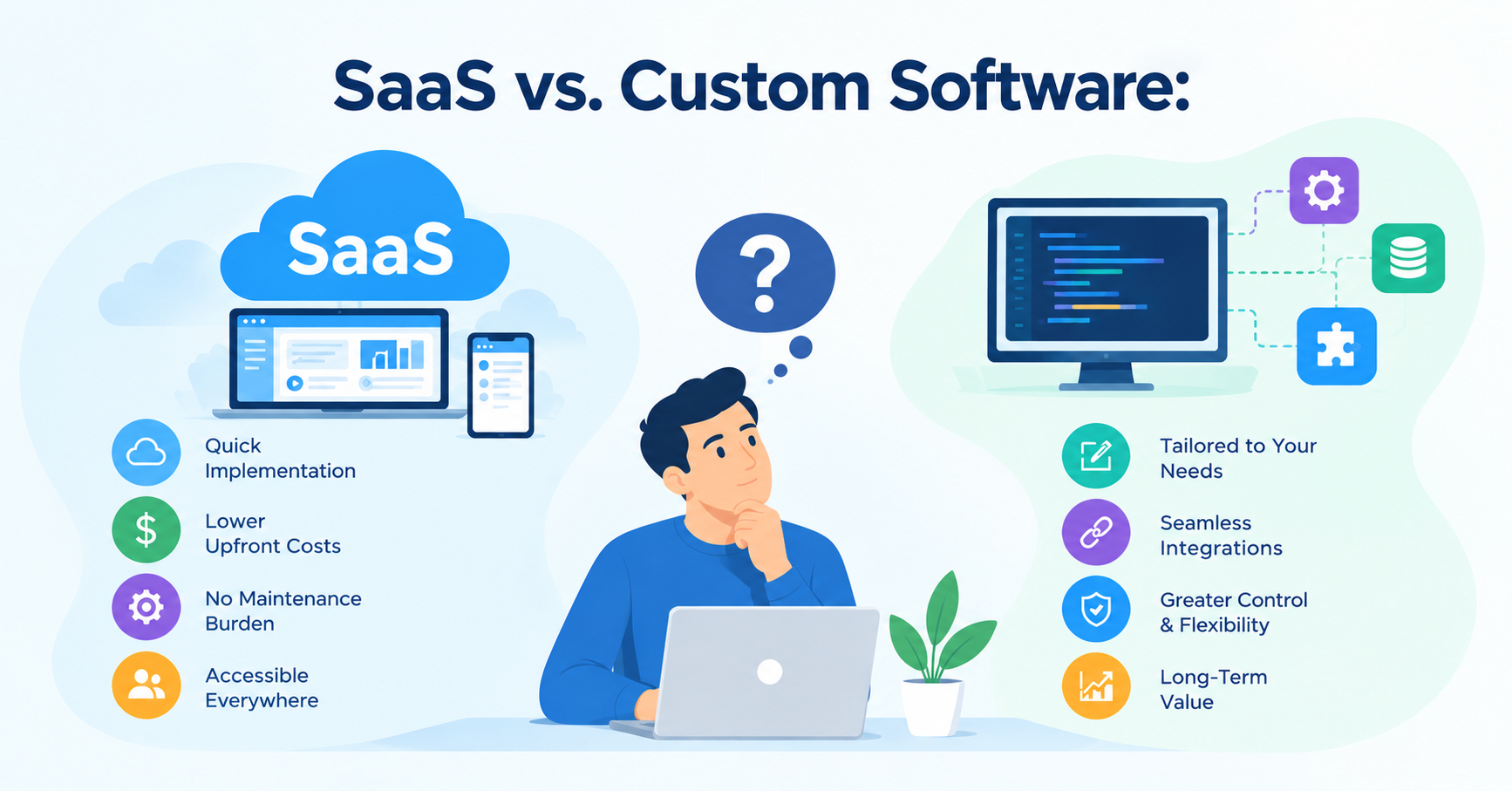
Power Apps vs. Traditional Software Development
Power Apps is useful for many internal business applications, but it is not the best choice for every project.
The decision should depend on the technical requirements, expected scale, integration needs, user experience, and long-term business strategy.
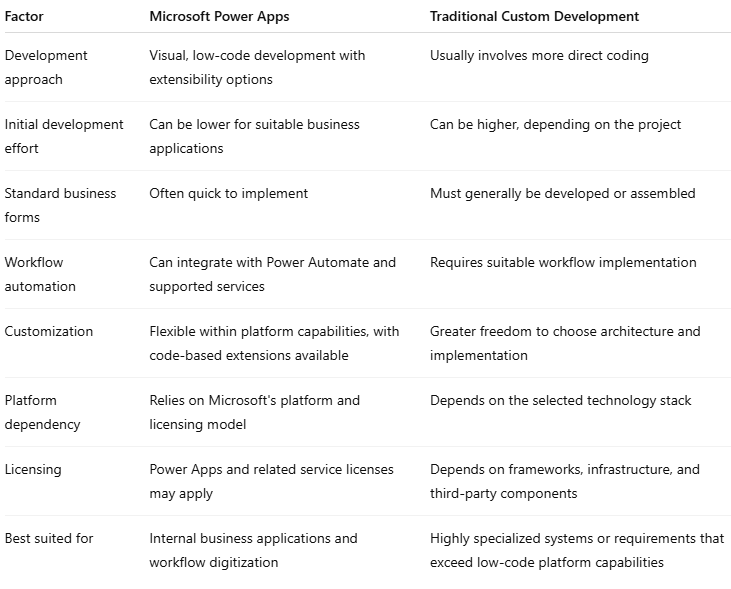
For example, a purchase approval application may be well suited to Power Apps. A large consumer-facing platform with unusual performance requirements, extensive public traffic, or specialized rendering needs may warrant a different architecture.
Some organizations benefit from a hybrid approach that combines Power Apps with custom APIs and other services.
When Should a Business Hire a Power Apps Developer?
Although Power Apps makes application development more accessible, creating a reliable business solution still requires technical and process knowledge.
An experienced developer can help organizations choose the right app type, design data structures, configure workflows, integrate external systems, and implement appropriate security controls.
Businesses should consider working with a developer when they need to:
- Replace complex spreadsheet-based processes.
- Build applications with multiple approval levels.
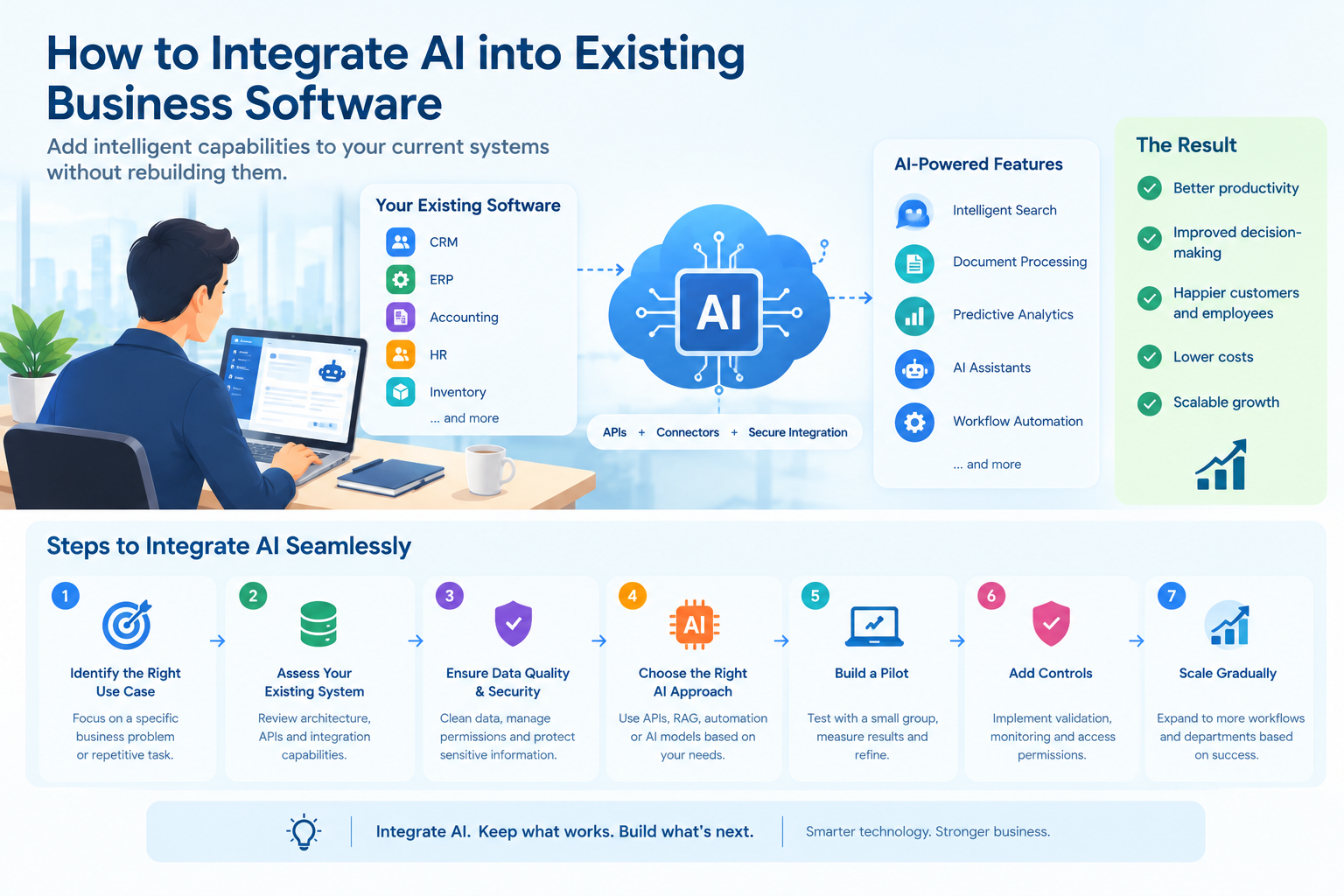
- Integrate Power Apps with existing business systems.
- Implement custom connectors or APIs.
- Establish role-based access and data permissions.
- Improve application performance and maintainability.
- Manage deployment across development, testing, and production environments.
When selecting a developer, evaluate their experience with Power Apps, Power Automate, Dataverse, integrations, and the specific business processes involved.
It is also important to clarify project scope, documentation, testing responsibilities, licensing assumptions, ongoing support, and ownership arrangements before development begins.
Businesses evaluating external development support can explore Affordable Power Apps Developer in India to learn more about Power Apps development options for their requirements.
The right development partner should recommend an appropriate solution based on your business needs rather than assuming that every process requires the same technology.
Best Practices for Successful Power Apps Implementation
To get the most value from Power Apps, organizations should approach implementation as a business improvement initiative rather than simply a software project.
Start With a Clearly Defined Problem
Identify the process that consumes the most time or creates the greatest operational difficulties.
Document the existing workflow and determine which activities should be automated, simplified, or retained for human review.
Keep the Initial Scope Focused
Start with essential functionality and expand after validating the solution.
A focused initial release makes it easier to collect feedback, correct problems, and assess whether the application delivers measurable value.
Plan Data and Integration Requirements
Identify where information is stored, which systems need to exchange data, and what permissions are required.
Review connector availability and licensing before committing to an architecture.
Establish Security and Governance
Define who can create applications, access records, modify workflows, and deploy updates.
Use appropriate environments, permissions, data loss prevention policies, and change management practices to reduce operational and security risks.
Test With Realistic Scenarios
Test normal workflows as well as exceptions, including incomplete forms, rejected requests, unavailable integrations, duplicate submissions, and unauthorized access attempts.
Involve employees who will use the application in everyday operations.
Measure Results After Launch
Establish baseline measurements before implementation, such as average processing time, error rates, number of manual steps, and employee hours spent on administration.
Compare those measurements after launch to determine whether the solution is delivering the expected benefits.
Conclusion
Microsoft Power Apps provides businesses with a practical way to build custom applications and automate repetitive workflows without developing every component from scratch.
From purchase approvals and inventory tracking to HR processes and field service reporting, the platform can help organizations digitize everyday operations, improve information visibility, and reduce manual administrative effort.
Its low-code development approach can also reduce development effort for suitable applications, especially when businesses can reuse existing data sources and Microsoft services.
However, successful implementation requires careful planning. Organizations should evaluate licensing, integration complexity, data security, governance, and ongoing maintenance before selecting the platform.
For businesses with specialized requirements, an experienced developer can help determine whether Power Apps is the right fit and design a solution that aligns with existing systems and long-term objectives.
The best starting point is to identify one time-consuming business process, measure its current cost, and evaluate how a focused application could improve it. By starting with a clear problem and tracking measurable results, businesses can make more informed decisions about workflow automation and software investment.
Frequently Asked Questions
1. What types of business applications can be built with Microsoft Power Apps?
Businesses can build applications for purchase approvals, expense management, inventory tracking, employee onboarding, leave requests, field inspections, customer service, and internal request management. The appropriate use case depends on the process, integration needs, and platform capabilities.
2. Can Microsoft Power Apps reduce software development costs?
It can reduce development effort for suitable applications by providing visual development tools, reusable components, and connectors. However, total costs still depend on licensing, integrations, implementation complexity, testing, and maintenance.
3. What is the difference between Power Apps and Power Automate?
Power Apps is primarily used to build business applications and user interfaces. Power Automate is used to coordinate automated workflows across supported services, such as sending notifications, routing approvals, and processing events. They can work together in a business solution.
4. Is Microsoft Power Apps suitable for small businesses?
Yes. Small businesses can use Power Apps to digitize internal processes and build applications around their operational needs. Before implementation, they should assess user requirements, existing Microsoft subscriptions, licensing, and expected maintenance costs.
5. Does Power Apps require programming skills?
Many applications can be built using visual tools and low-code features. More complex solutions may require knowledge of data modeling, formulas, APIs, custom connectors, security, or other development techniques.
6. How much does Power Apps development cost?
The cost depends on application complexity, development time, integrations, licensing, data storage, and ongoing support. A basic internal application may require substantially less effort than a complex enterprise solution. Businesses should request estimates based on clearly documented requirements.
7. Can Power Apps integrate with existing business software?
Yes. Power Apps supports many Microsoft and third-party data sources through connectors. Other integrations may require APIs or custom connectors. Availability, permissions, performance limits, and licensing should be evaluated for each integration.
About the author
- LnP Infotech Pvt. Ltd. is an AI technology consulting and digital solutions company based in Mohali, India, serving businesses worldwide. Founded in 2018, we specialize in custom software development, AI solutions, automation, web and mobile app development, SaaS solutions, and technology consulting. Our expertise includes finance and healthcare software, real estate technology, reporting and analytics, digital transformation, and business process automation. We help businesses modernize legacy systems, streamline operations, improve efficiency, and build scalable digital products tailored to their requirements. With an experienced technology team and a practical, future-ready approach, LnP Infotech delivers reliable software and technology solutions that support sustainable business growth.
Comments
Join the discussionNo comments yet. Be the first to comment.